Gotta Getta Gig

Help

FAQ

A working reference for the booking concepts we are shaping. This will grow as the calendar, search, and profile workflows settle.

Accounts And Profiles

+

What is the difference between an account and a profile?

An account is your login. A profile is what you create to represent yourself as an artist, venue/booker, or both.
Can one account have more than one profile?

Yes. One account can manage multiple profiles. For example, you might book shows for a venue and also play in a band. Or you might perform as a trivia host and also play solo acoustic shows.

Calendars

+

What is the calendar for?

The calendar is to keep track of booking dates.

What do the color labels mean?

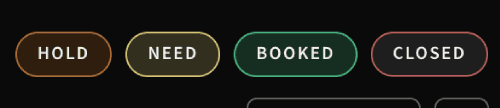
The color labels show the status of dates on the calendar, such as Open, Hold, Need, Inquiry, Accepted, Booked, or Closed. The available labels depend on whether you are using an artist profile or a venue/booker profile.
Venue calendar status labels
Venue / booker calendar labels
Artist calendar status labels
Artist calendar labels

What does each calendar status mean?

Artist labels

  • Open means an artist is available for that date. Empty dates also mean the artist is available by default, but Open dates let you add context like “On tour” or “Looking for a local support slot.”
  • Inquiry means a venue has sent a booking request.
  • Accepted means an artist accepted an inquiry and is waiting on venue confirmation.

Venue / booker labels

  • Need means a venue is looking for artists and needs to fill the bill.
  • Closed means the venue is not operating on that date. Closed dates are automatically public on the external calendar.

Shared labels

  • Hold means the date is blocked off for planning.
  • Booked means the show has been confirmed.

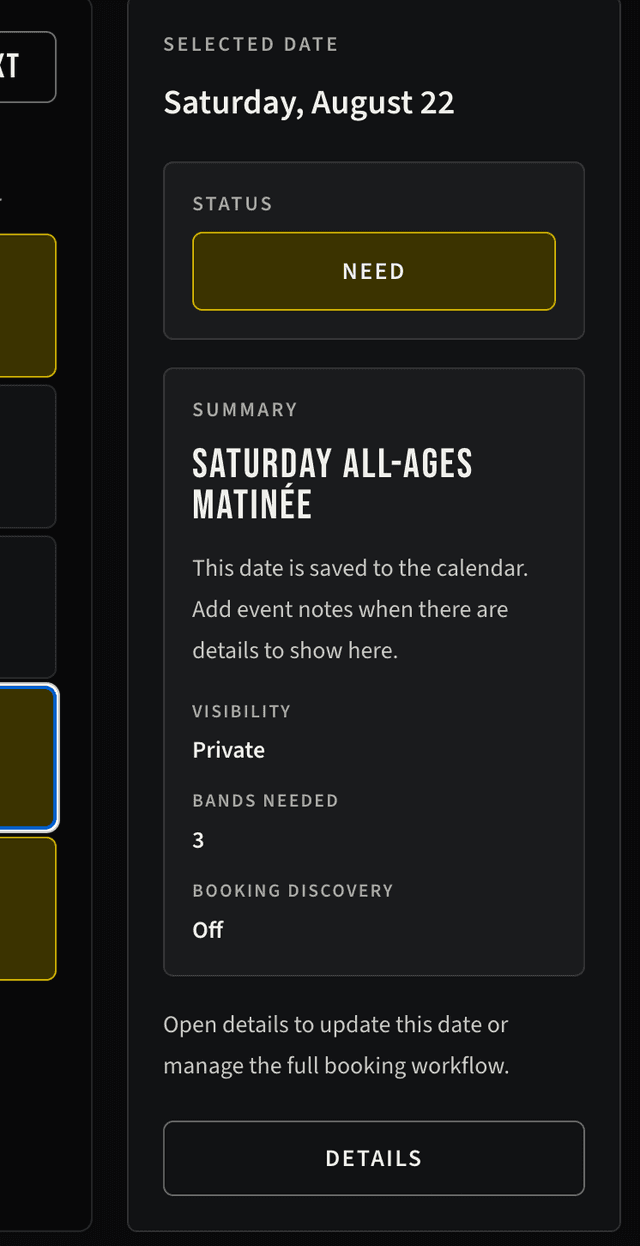
What is the selected date sidebar preview panel?

When a date is selected, the sidebar preview panel beside the calendar shows a quick summary for that date. Use the Details button to open the full date view and make changes.
Event Preview

Navigating In The Calendar

The calendar can be easily navigated with the following keyboard shortcuts:
  • The arrow controls move the calendar backward or forward. Or up and down advancing week by week.
  • Press Enter to open a selected date.
  • The arrows also work inside Date Details to allow movement between dates without closing the full date view.
  • Press Escape to close open calendar dialogs.

What does Date Details do?

Date Details toggles how much information is shown inside the calendar date cells. Use it to switch between the simple status view and a more detailed event view.
Date Details

What does Calendar Settings do?

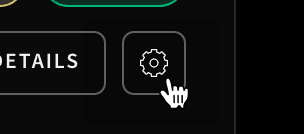
This button opens the Calendar Settings and lets you rename the calendar and choose the default visibility for new dates.
Calendar Settings

Can I have more than one calendar?

Multiple calendars are planned for after beta. For now, most users should use the default calendar attached to their active profile.

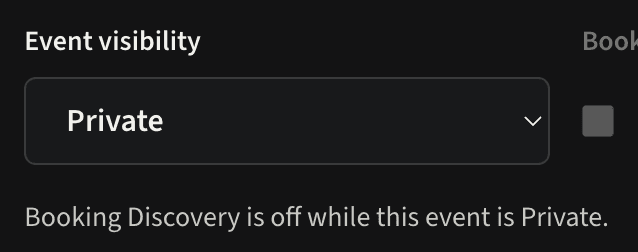
What does Private mean for a calendar or event?

Event visibility defaults to Private. Once a private event is fully booked, the event shows as a Private Event on the external venue calendar for that date. The show details are not visible in the calendar. Invited artists, viewers, or collaborators may still have access through booking or calendar permissions.
Private Event

What does Public mean?

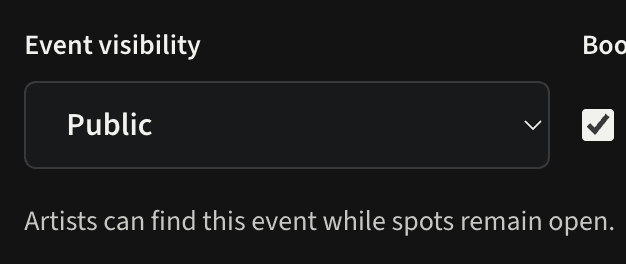
Setting event visibility to Public means the event can be viewed publicly. Once its confirmed lineup is complete and its status becomes Booked, it appears on the venue's external event calendar. Public does not automatically list an open booking opportunity in artist search.
Public Event

How do Closed dates appear on the external calendar?

Selecting Closed automatically makes the date public and visible in the calendar so visitors know the venue is not operating. If the venue adds a title, such as Closed for Labor Day Weekend, the title appears beneath Closed in the calendar cell. If the event already has a title when Closed is selected, the application asks for confirmation before making that title public.

Which events appear on a venue's external calendar?

The external calendar uses both booking status and event visibility:

  • A Public, Booked event displays its available public show details and is clickable.
  • A Private, Booked event displays only a non-clickable Private Event marker.
  • A Closed date is automatically public and displays Closed. It is never clickable; an optional title appears directly in the calendar cell.
  • Need Artist and Hold dates do not appear on the external calendar.

Internal event notes are never included in the public calendar.

See the External Embedded Calendar section for setup instructions.

How do I add an artist who was booked outside the app?

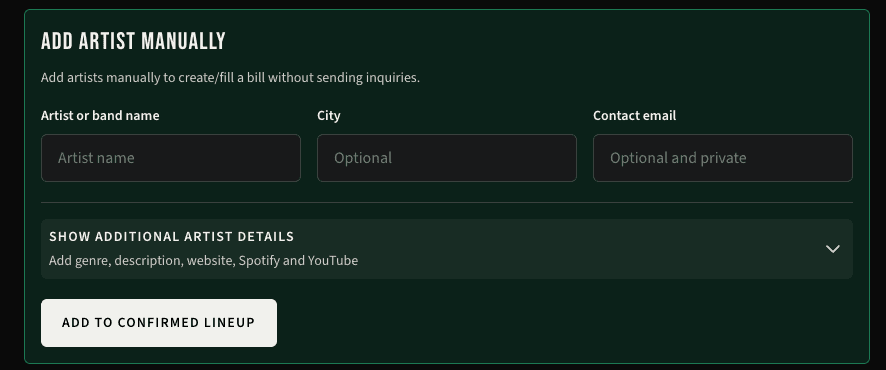
Use Add Artist Manually when a show is already booked or you are moving an existing bill into the calendar. This adds the artist directly to the Confirmed Lineup without sending an inquiry or creating an artist account.

The artist counts toward Bands Needed and can move the event to Booked. Optional city, genre, description, website, Spotify, and YouTube details can appear on a Public, Booked event. Contact email remains private and is not included in the external calendar.
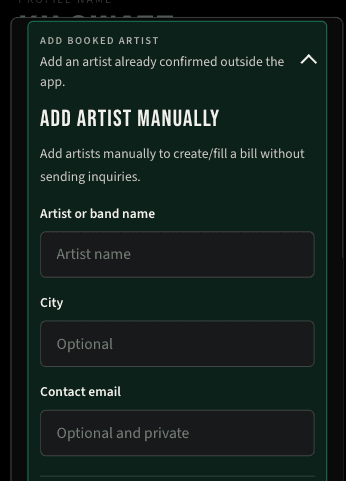
Add Artist Manually form on mobile

What is Booking Discovery?

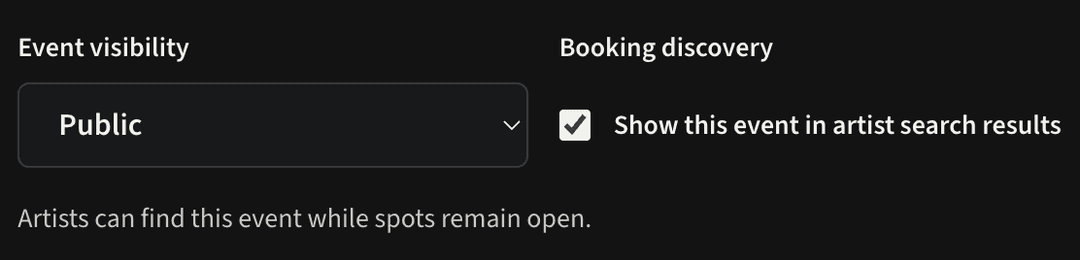
Booking Discovery controls whether an event that still needs artists can appear in artist search results. It is separate from external-calendar publication and only works for public events with open artist slots.
Booking Discovery

What are booking alerts?

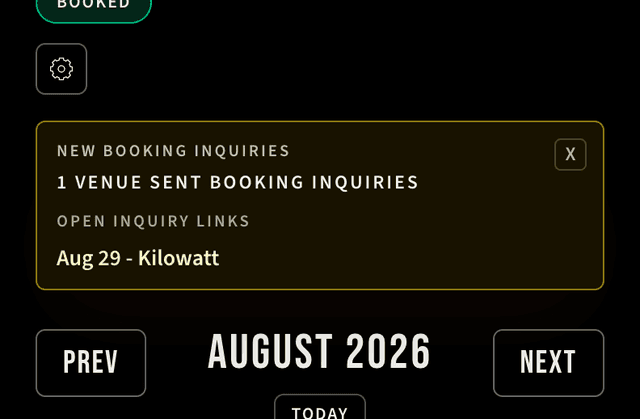
Booking alerts let artists know when venues have sent booking inquiries for future dates. Opening an alert takes you to the booking event so you can review the request.
Booking Alerts

External Embedded Calendar

+

How do I add the public event calendar to my venue website?

Open Calendar Settings:

Calendar Settings button

Expand Website Embed for the calendar you want to share. Click the Copy button to copy the complete iframe code, then paste that code into the HTML or embed area provided by your website builder.

The embedded calendar stays connected to your booking calendar, so you don't need to make any changes after it's set up.
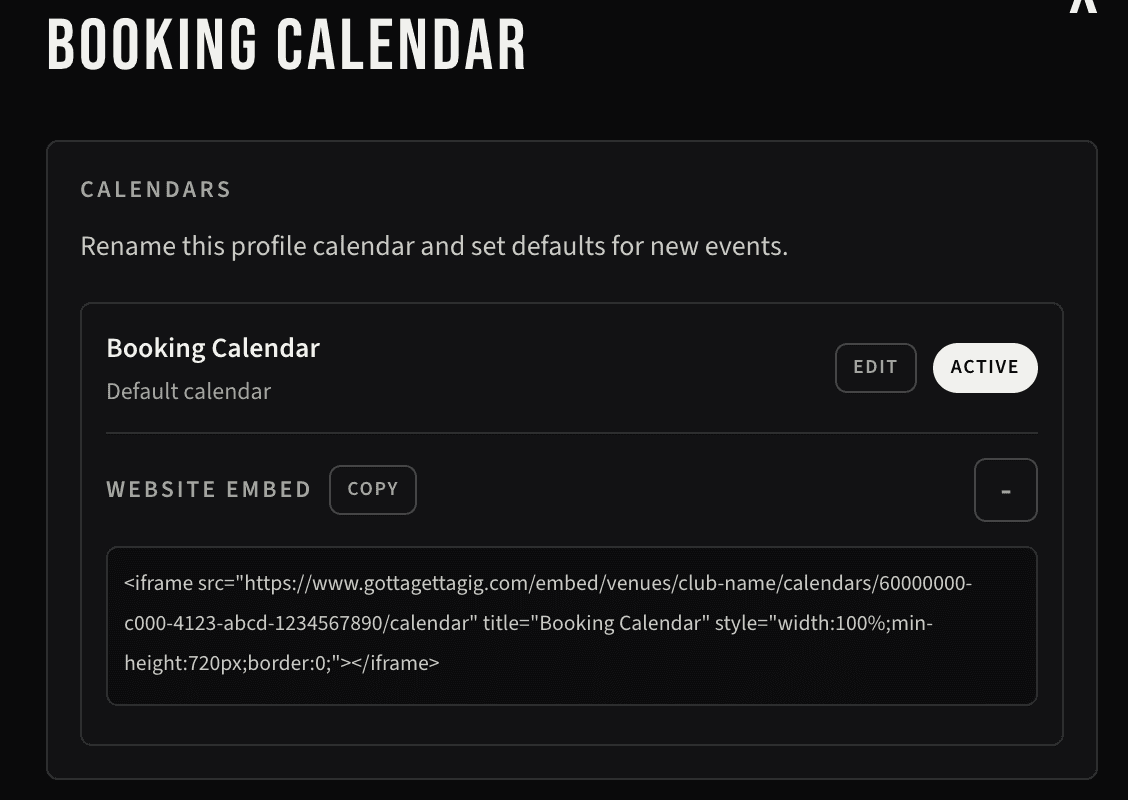
Website Embed section in Calendar Settings
Copy the iframe code from Website Embed.

Calendar Access

+

What do Viewer, Editor, and Manager mean?

Viewer can see the calendar, Editor can create or update events, and Manager can edit calendar settings and manage access. These are planned calendar-level permissions.

Are calendar invites working yet?

Not yet. The current Calendar Access UI is a prototype. Invite delivery and persistence will connect after the calendar access data model is added.

Search

+

Main Discovery Search

The main discovery search is used for finding artists or venues. It can be found on the Search page.

Searching in an event

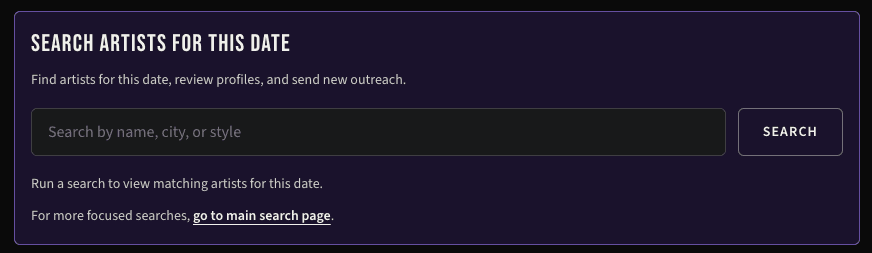
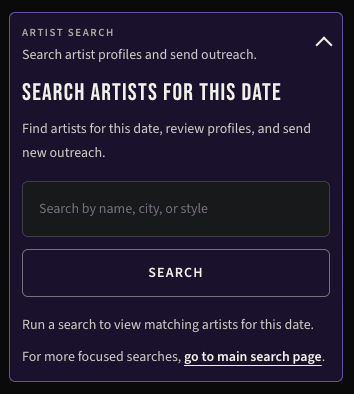
Use event search to find an artist and send them a booking inquiry for that date.
Mobile event search section showing artist search inside a date details modal

Why are there two types of searches?

Main search is for broader discovery of artists and venues. Event search helps you find an artist for a specific event date and send a booking inquiry.

Booking opportunities

Venues may make an event public if they are looking for an artist to complete a bill. Use the main discovery search to find booking opportunities.

Why am I not seeing a venue date in search?

The date may be private, not marked as needing artists, already booked, or not set to show in search.

Why am I not seeing someone in search?

Their profile may be incomplete, hidden, not invited into beta, or not matching the search terms.

Can I search by genre or artist type?

Yes, on the main artist search page. Event search is currently keyword-based.

Can I search by distance?

Not yet. Location search is based on city/region text for now.

Booking Flow

+

Why does accepting a gig not immediately mean Booked?

Artist acceptance means the artist is interested and waiting on venue confirmation. The event becomes Booked when the venue/booker confirms enough artists for the bill.

Can one date have multiple events?

Yes. Multi-event dates are part of the venue workflow, such as early and late shows on the same day. Each event should have its own details, visibility, discovery setting, and lineup. This will be introduced after beta.

Live Show Checklist

+

What should a venue do after a show is booked?

Once the lineup is confirmed, use this checklist to make sure the event is ready for the artists and your public calendar:

  • Confirm the lineup and put the artists in performance order.
  • Review the event title, doors time, music time, age restriction, advance price, and door price.
  • Add the ticket-purchase link, and mark the show Sold Out if its availability changes.
  • Choose Publicwhen the show is ready to be announced, or keep it  Private when the details should not be published yet.
  • Add a Venue's Take for each artist when you want to give visitors more context about the lineup.
  • Use internal event notes and booking messages to keep show-day details coordinated with the artists.
  • Preview the external calendar and event page to make sure the public information looks complete.

Not every field is required. Add the information that is useful for your show and update it whenever plans change.